

A 65-inch QLED TV for under RM2,700 sounds like a catch waiting to happen, so that is how we went into this one. What is the compromise, and where were the corners cut?
PRISM+ sent us its 2026 Q65 Ultra, a 65-inch QLED+ 4K Google TV with an AI picture processor, Dolby Vision, Dolby Atmos and a 120Hz gaming mode. We have used PRISM+ monitors before (our PRISM+ X340 Pro Evo review), so we knew the brand can build decent hardware at aggressive prices. A TV is a bigger ask, because it is the centrepiece of the living room. So we took down our Xiaomi TV P1, put the Q65 Ultra in its place, and lived with it for 14 days.
Contents
What it is
A 65-inch 4K (3840 x 2160) TV with a QLED+ panel rated at 94% of the DCI-P3 colour range and 1.07 billion colours, 320 nits peak brightness, and a 120Hz DLG mode for gaming. HDR covers Dolby Vision, HDR10+ and HDR10+ Gaming, with Filmmaker Mode for films. Sound comes from two 30W drivers (60W in total) with Dolby Atmos. It runs Google TV with Chromecast built in, and the 2026 range is the first from PRISM+ with Apple AirPlay 2 and HomeKit.
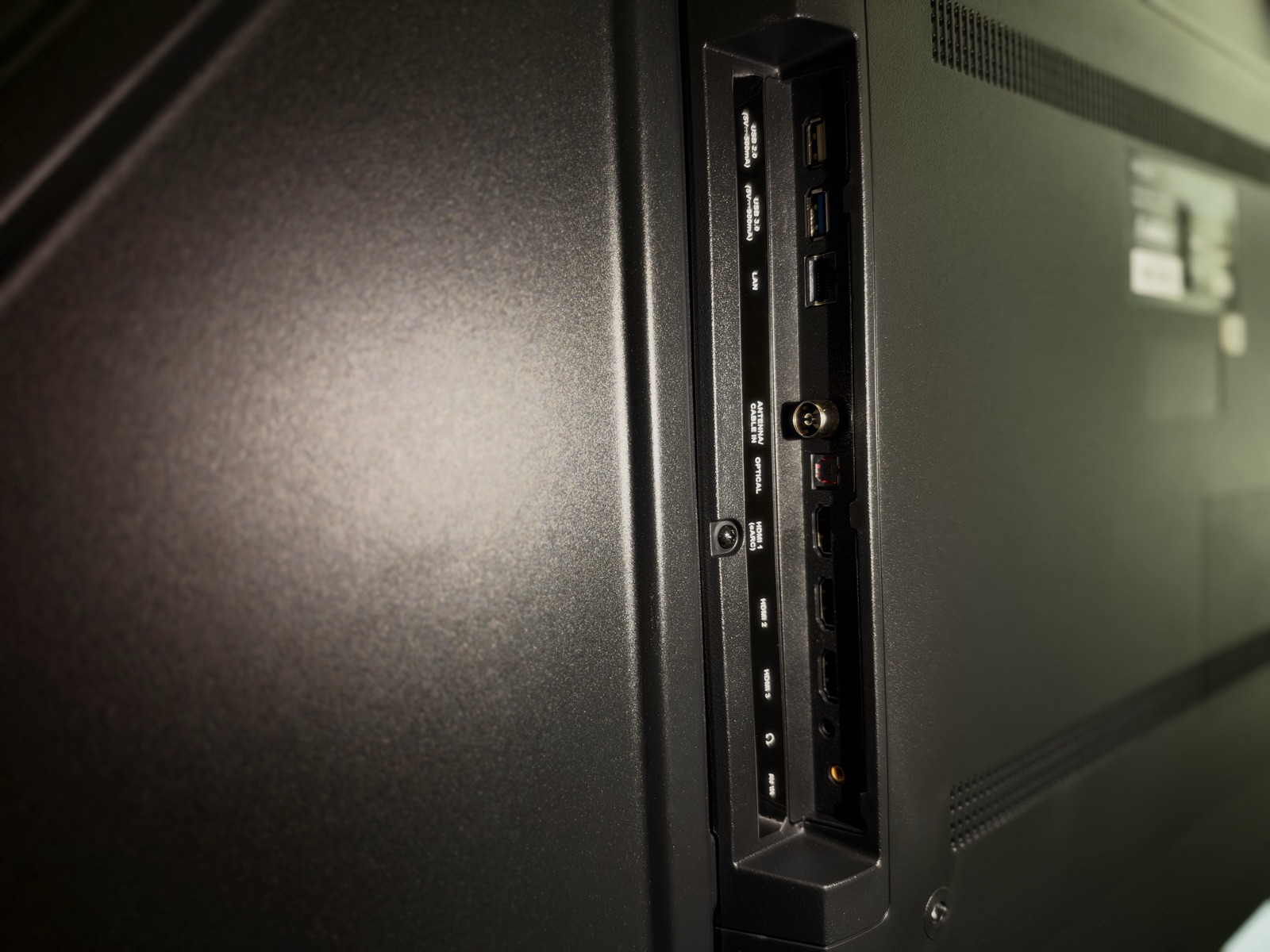
For connections there are two HDMI 2.1 ports (one with eARC), one HDMI 2.0, one USB 2.0, one USB 3.0, optical audio out, Ethernet and Bluetooth 5.1. It weighs 14kg on its own and 14.2kg on its stand, and takes a 400 x 300 VESA wall mount.
Those figures are PRISM+'s own, from its product page. One note on colour: the marketing for the series quotes "up to 110% DCI-P3", but the spec sheet for the 65-inch says 94%, and 94% is the number we use. The rest of this review is what we saw.
Who it is for
Anyone moving up from an older 1080p TV or a first-generation budget 4K set who wants a big, colourful picture and a modern smart TV without spending RM5,000. It also suits iPhone households, because AirPlay is built in.
Design and build
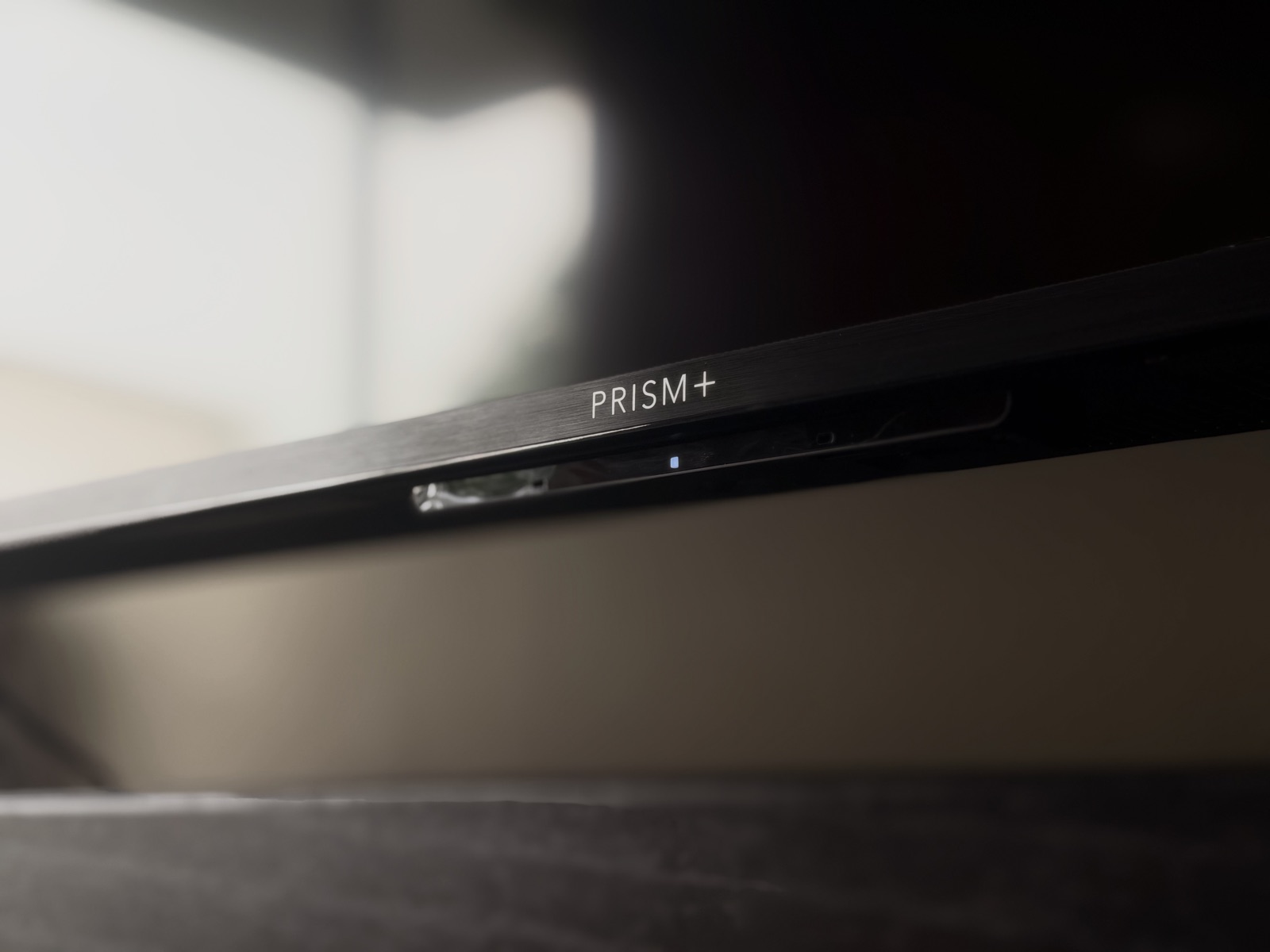
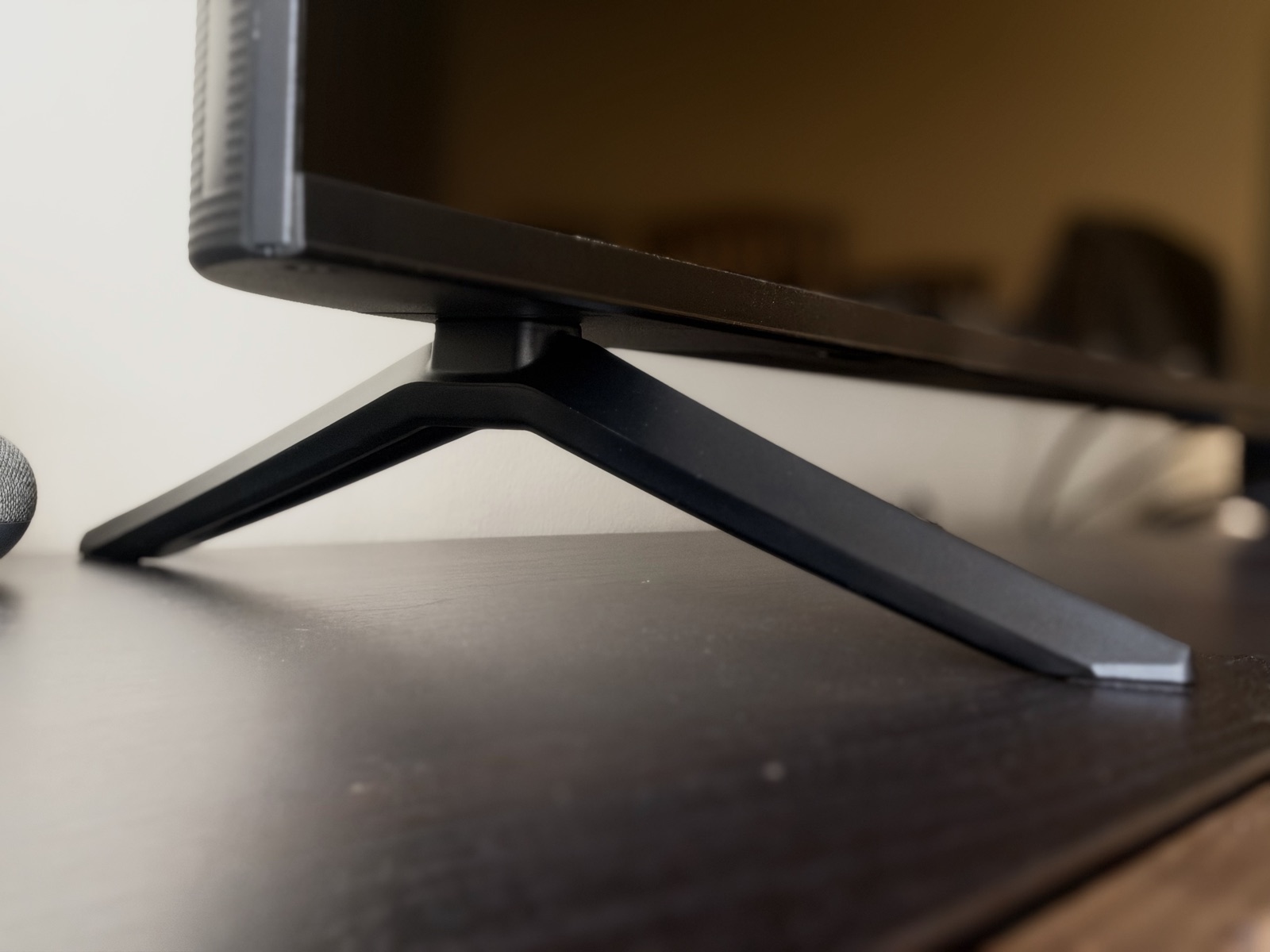
The Q65 Ultra looks clean and modern: slim bezels (PRISM+ calls them ZeroBezel), a simple stand and nothing flashy. It is not trying to be a design piece. It is trying to disappear into the wall or the cabinet and let the picture do the talking. At 14kg without the stand it is manageable for a 65-inch panel. The build feels solid enough, though the plastic rear is what you would expect at this price: functional, not premium.
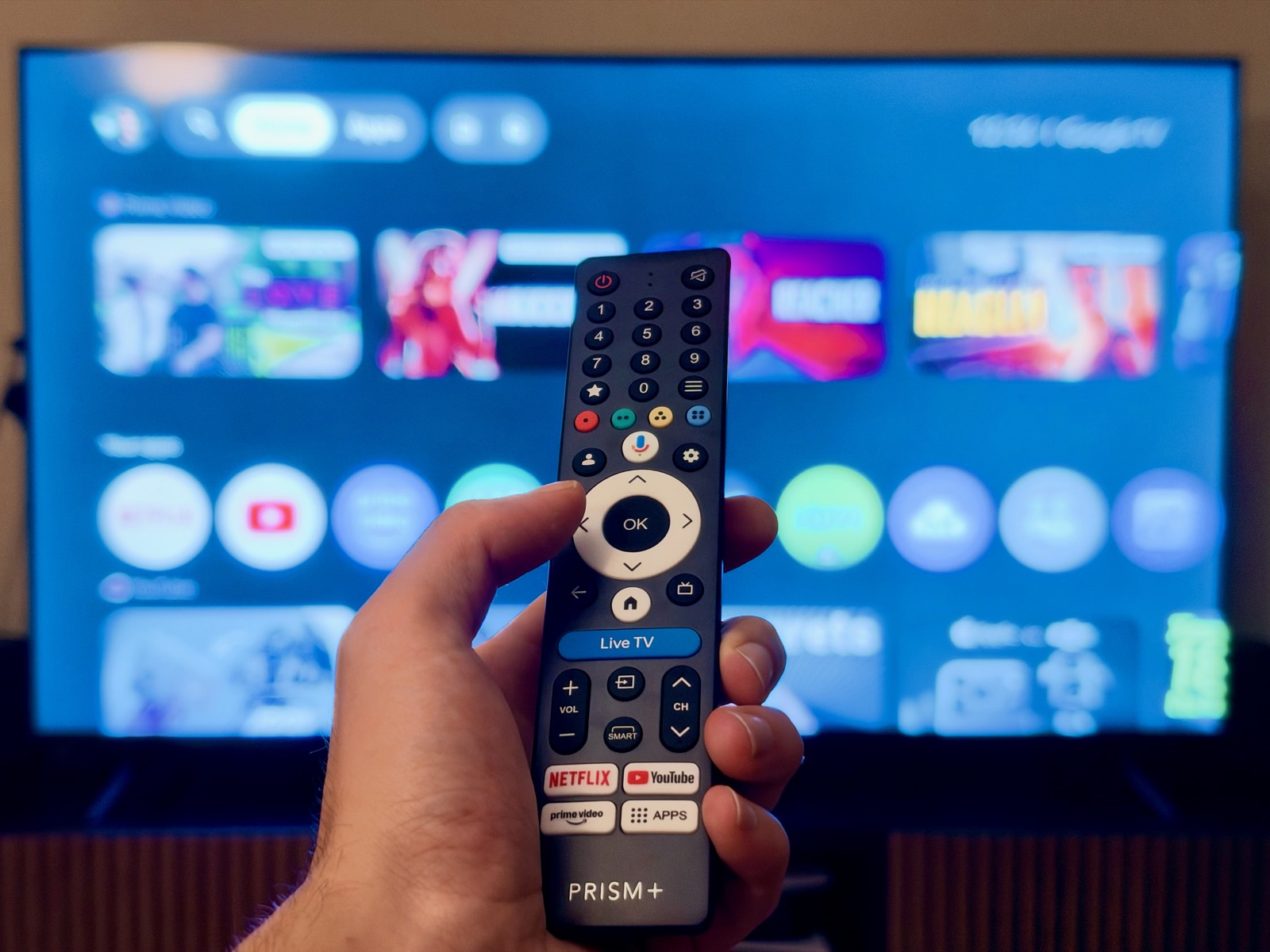
The remote is straightforward, with one-press buttons for Netflix, YouTube and Prime Video.
The picture
Coming from the Xiaomi TV P1, the difference was immediate. Colours are noticeably richer: skin tones look natural, sunsets have depth, and gradients in skies stay smooth without visible banding.
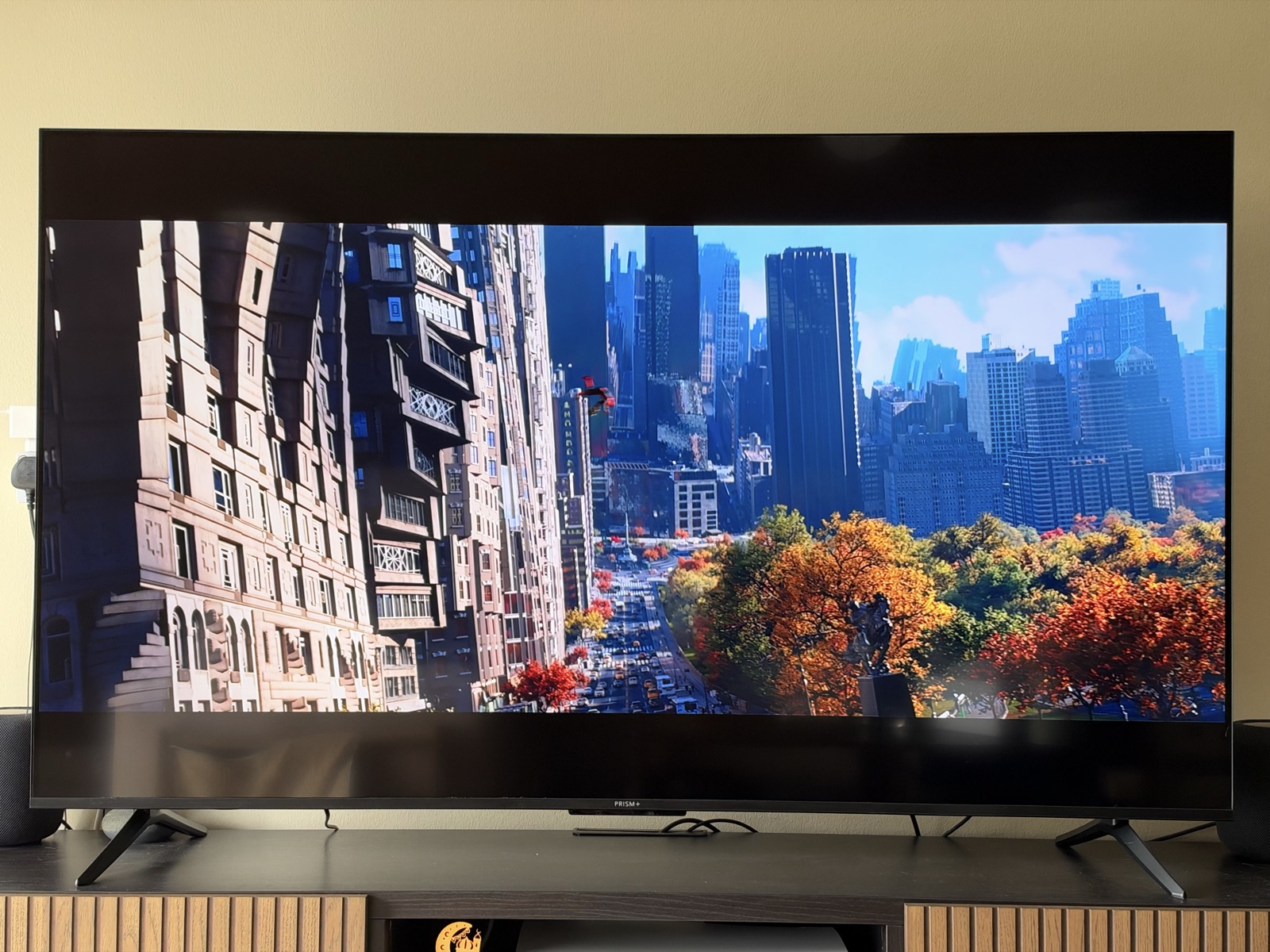
Brightness is the limit. PRISM+ rates the panel at 320 nits peak, well short of what Mini-LED TVs reach. In a living room with normal lighting that was fine. With sunlight falling on the screen, the picture washed out. If your TV faces a window, that matters more than any other number on the spec sheet.
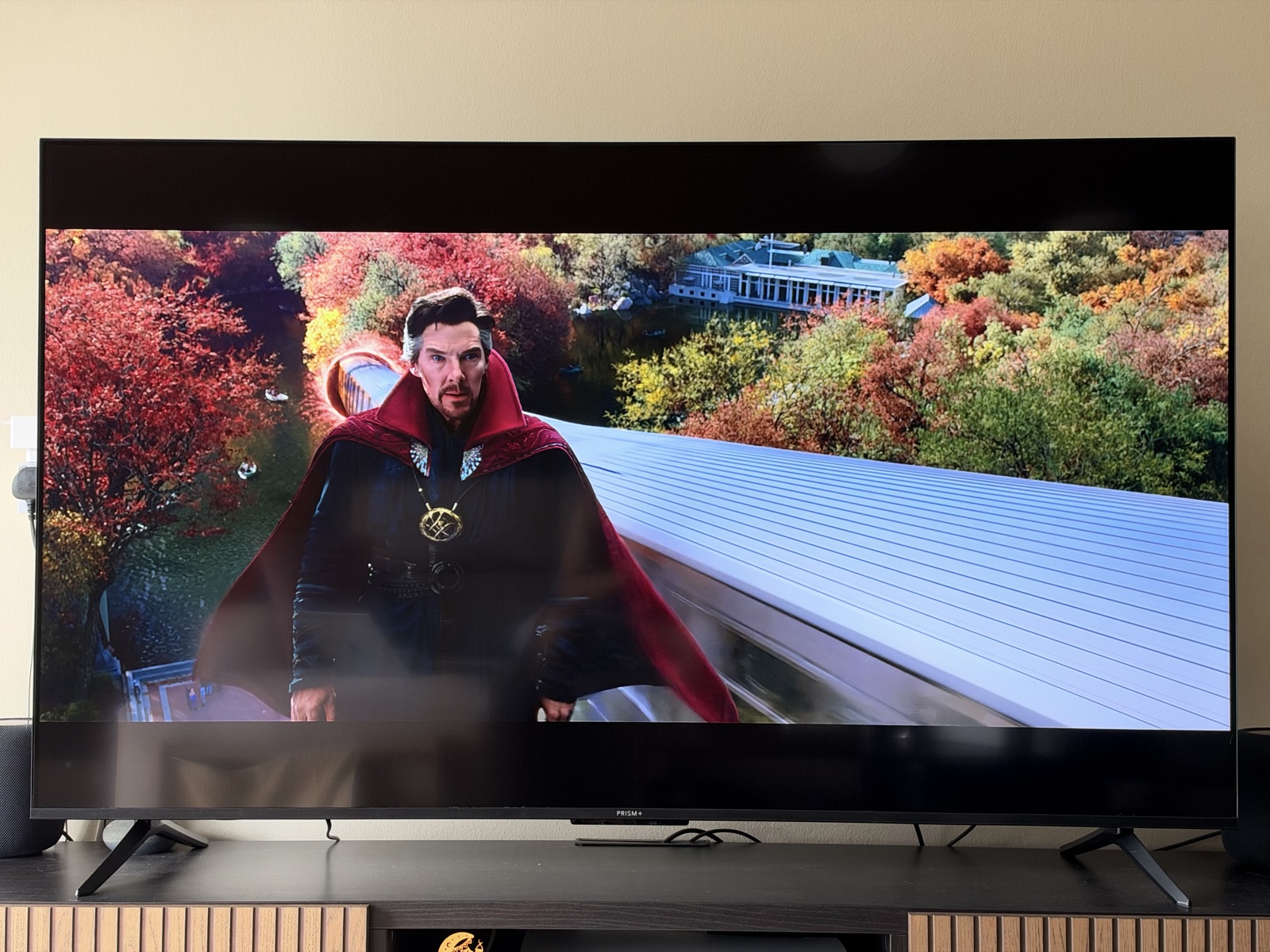
For upscaling, we played older YouTube videos and 1080p streams. The AI upscaler cleans them up respectably, and clearly better than the P1 did, but it is not magic: 1080p does not turn into 4K. MEMC, the motion smoothing, helps with sport and action scenes without the soap-opera look being too aggressive.
Gaming
We plugged in a PlayStation 5 and switched on the 120Hz mode. The PS5 reads the TV as a 4K display that supports VRR, HDR and up to 120Hz, and its Video Output Information screen showed 3840 x 2160 at 60Hz in the menus (the console only switches to 120Hz inside games that offer it).
That is the signal the TV accepts. How the panel draws it is worth knowing. DLG stands for Dual Line Gate: the panel is natively 60Hz, and to reach 120Hz it refreshes two rows of pixels at once, which halves the vertical resolution. So 120Hz games get smoother motion, but not the full detail of a TV with a native 120Hz panel. In practice, motion was visibly smoother than at 60Hz, and input lag felt low enough for casual and mid-level competitive play.

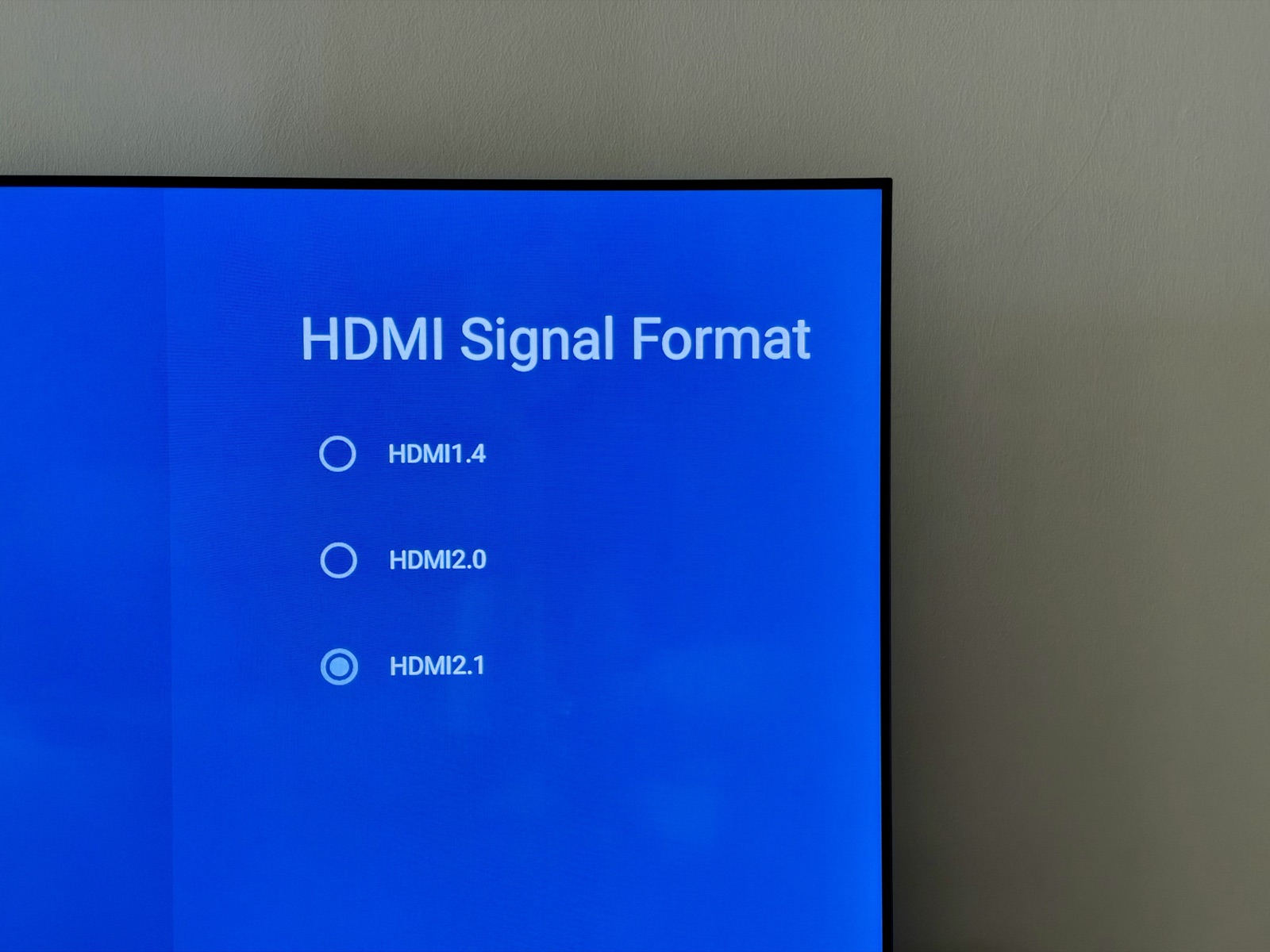
One setting you need to change first. Out of the box, each HDMI input is set to an older 1.4 mode, not 2.1. Plug in a console and you will find 120Hz, ALLM and VRR greyed out. Go to Settings > Channels & Inputs > External Inputs > HDMI Signal Format and choose HDMI2.1, and everything unlocks. PRISM+'s product page only says the 120Hz mode "must be enabled in settings", so consider this the missing step. We spent longer than we would like to admit finding it.
Use the right port, too. Only two of the three HDMI inputs are HDMI 2.1, and HDMI 1 is the one with eARC. Keep HDMI 1 for a soundbar and put the console on the other HDMI 2.1 input (the labels on the back panel show which).
HDR10+ Gaming is on the spec sheet as well, but the PS5 does not output HDR10+, so it is a PC feature here. We tested it on a PC, and games that support it looked punchier, with better contrast.
Sound
The built-in 60W speakers, two 30W drivers with Dolby Atmos, are better than we expected at this price. Dialogue is clear, there is enough low end for casual viewing, and the Atmos processing gives a wider soundstage than the size of the TV suggests. It will not replace a dedicated soundbar, but for everyday Netflix and YouTube you will not feel the need to rush out and buy one.
Google TV and AirPlay
Google TV is quick and the interface is clean, with Netflix, Disney+, YouTube, Prime Video, HBO GO, Viu and Spotify available, plus more than 5,000 apps in the Play Store. Chromecast is built in, so casting from an Android phone is one tap.
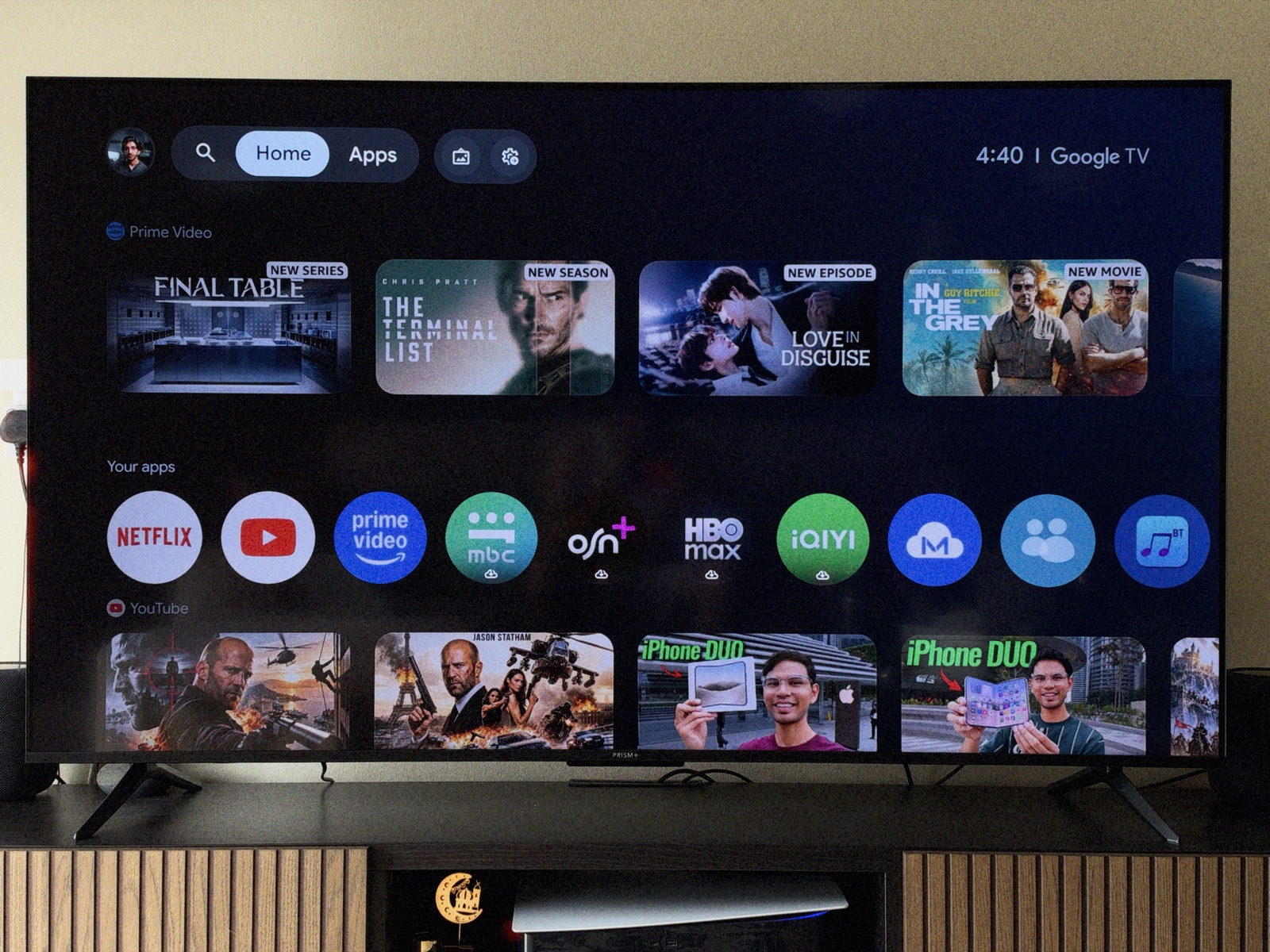
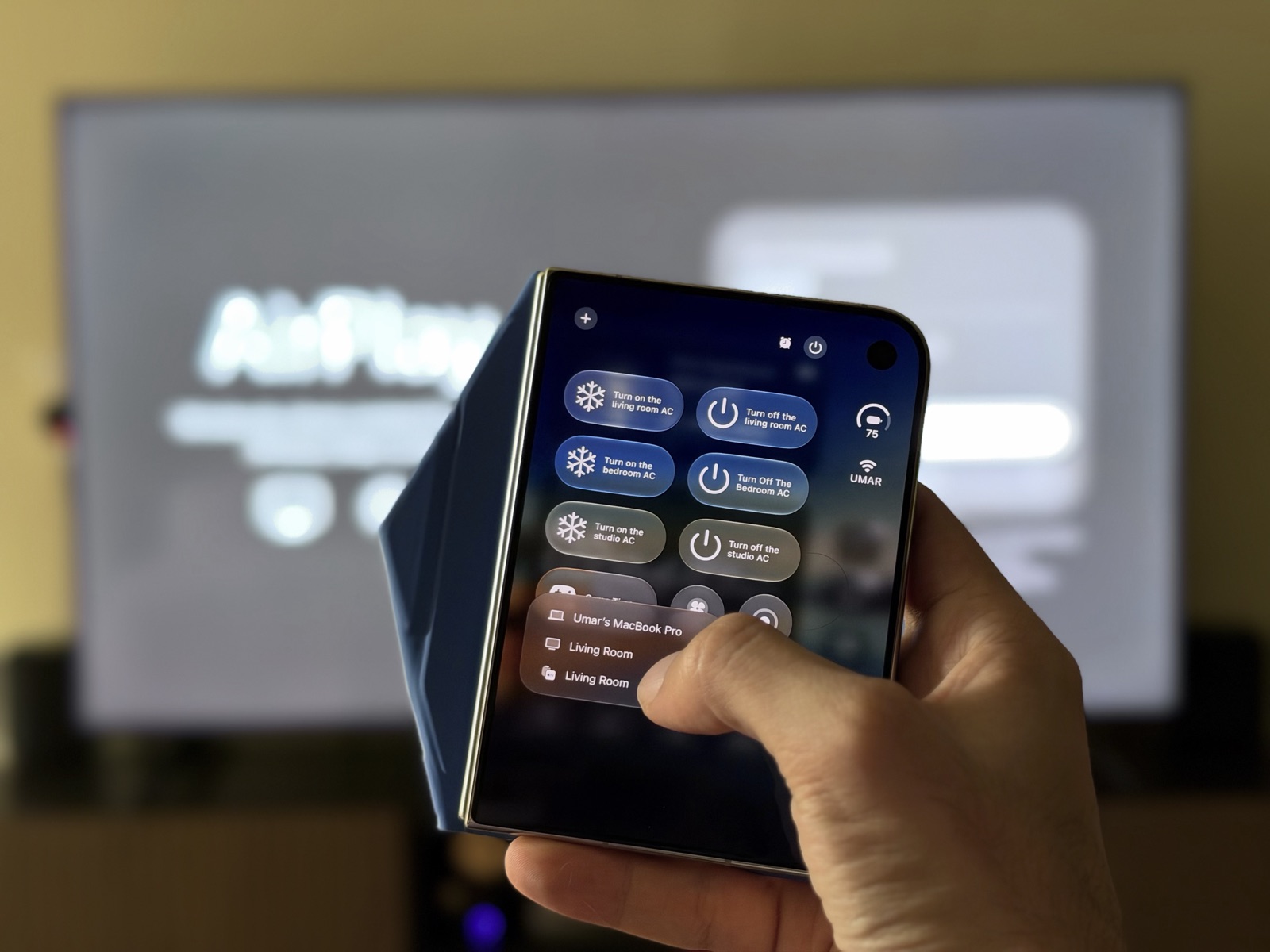
The big addition for 2026 is Apple AirPlay 2 and HomeKit, a first for PRISM+ TVs. We tested AirPlay from an iPhone and an iPad, and it worked exactly as it should: tap, connect, mirror. HomeKit means the TV can be added to the Apple Home app and controlled with Siri. For an Apple household, that is a genuinely useful feature at this price.
Price in Malaysia and where to buy
PRISM+ sells the 2026 Q65 Ultra for RM2,699 on its own Malaysian store, against a recommended price of RM5,999. When we checked on 25 October 2026, a PRISM+ voucher brought it down to RM2,429 at checkout. The price moves with PRISM+'s sales and vouchers, so check it before you buy. It comes with a two-year warranty, which PRISM+ will extend to five years for RM809. The same Q-Ultra series also comes in 43, 55, 75 and 85 inches.

4 more points
Who should not buy it
If your TV faces a bright window, 320 nits will frustrate you, and a Mini-LED set such as PRISM+'s own QD Mini-LED range is the better fit. If you want true 4K at 120Hz for a PS5 or a gaming PC, you need a TV with a native 120Hz panel. And if you already own a recent 4K QLED and a good soundbar, the upgrade is small.
Verdict
The Q65 Ultra delivers where it matters for the money: rich colour, a complete smart TV with AirPlay, and gaming features that work once you find the HDMI setting. It is not perfect. Brightness limits it in sunny rooms, its 120Hz mode trades resolution for smoothness, and the build is functional rather than premium. But coming from the Xiaomi TV P1, it was a clear step up, and at RM2,699 for 65 inches of QLED, or less with a PRISM+ voucher, it makes a strong case that QLED is no longer a premium-only feature. Against a Samsung or Sony TV costing RM5,000 and up, it will not win on brightness or processing polish. That is not the comparison it is asking you to make.
Final thoughts
Two things stayed with us after 14 days. The audio sounds good even straight from the TV, without routing it through the HomePods that sit next to it. And the picture is genuinely nice, but we wish the blacks were deeper and the screen handled reflections better.



