Short answer: the Apple iPad 9th Gen (from ₱19,150) is the best all-round tablet for work in the Philippines, with the Samsung Galaxy Tab A9+ (from ₱12,990) the better pick if you want Android and a keyboard case. If you just need something cheap for notes, email and video calls, the DOOGEE U10 (from ₱4,849) does the job for under ₱5,000.
We checked live Lazada and Shopee Philippines listings for every pick on 6 October 2026. Three products previously on this list (an "Infinix X5 Pro Tablet", a "Samsung Tablet i14 Plus" and an "OPPO Pad Air" with 16GB/512GB "5G" specs) turned out to be generic tablets sold under borrowed brand names with specifications those brands do not actually offer. We removed them; how we checked is in the methodology section below.
Contents
- 7 Best Tablets for Work in the Philippines 2026: Top Picks
- Best Overall: Apple iPad 9th Gen
- Best for Office Work: Samsung Galaxy Tab A9+
- Best with S Pen: Samsung Galaxy Tab S9 FE
- Best for Business: Huawei MatePad SE
- Best Affordable: Redmi Pad SE
- Best for Travel: Lenovo Tab M7
- Best Ultra-Budget: DOOGEE U10
- How We Chose
- How to Choose a Tablet for Work in the Philippines
- Frequently Asked Questions
- Related Guides
 Apple iPad 9th Gen₱19,150Lazada
 Huawei MatePad SE₱8,999Lazada
 Lenovo Tab M7₱4,995Lazada
 DOOGEE U10₱4,849Lazada
 Samsung Galaxy Tab A9+₱12,990Lazada
 Samsung Galaxy Tab S9 FE₱19,180Lazada
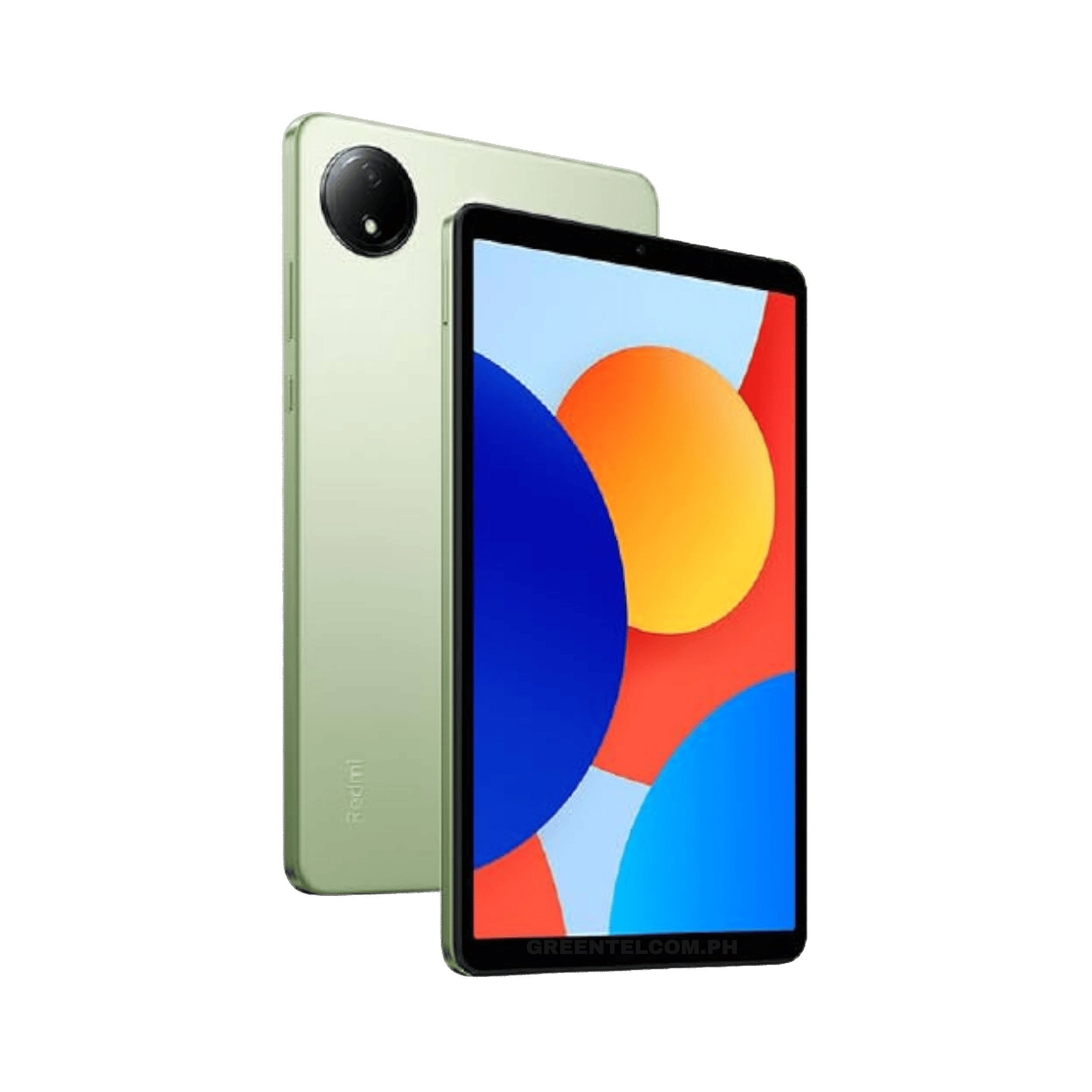 Redmi Pad SE₱8,299Lazada
7 Best Tablets for Work in the Philippines 2026: Top Picks
| Product | Best For | Price | Screen |
|---|---|---|---|
| Apple iPad 9th Gen | Overall | ₱19,150 | 10.2" |
| Samsung Galaxy Tab A9+ | Office work | ₱12,990 | 11" |
| Samsung Galaxy Tab S9 FE | S Pen / notes | ₱19,180 | 10.9" |
| Huawei MatePad SE | Business | ₱8,999 | 10.4" |
| Redmi Pad SE | Affordable | ₱8,299 | 10.1" |
| Lenovo Tab M7 | Travel | ₱4,995 | 7" |
| DOOGEE U10 | Ultra-budget | ₱4,849 | 10.1" |
Best Overall: Apple iPad 9th Gen
1 more point
The iPad 9th Gen is still the easiest tablet to recommend for work in the Philippines: it gets Apple's full software-support window, runs every major productivity and video-call app without the compromises some Android tablets make, and both a keyboard case and the Apple Pencil (1st gen) work with it. It is the oldest iPad still sold new, so treat it as the budget entry to Apple's ecosystem rather than the most capable one.
Best for Office Work: Samsung Galaxy Tab A9+
2 more points
The Tab A9+ is Samsung's mid-range work tablet: an 11-inch screen that is genuinely comfortable for spreadsheets and documents, Snapdragon 695 performance that keeps multiple apps open without stutter, and full Google Mobile Services so your existing Google Workspace setup carries over with nothing to configure. An official keyboard cover is sold separately and turns it into a basic laptop replacement for email and docs.
Best with S Pen: Samsung Galaxy Tab S9 FE
3 more points
The Tab S9 FE is the cheapest Samsung tablet that ships with the S Pen in the box rather than as a paid extra, which makes it the pick if your work involves handwritten notes, markup on PDFs, or sketching. The 10.9-inch LCD is not AMOLED, so colours are a notch behind Samsung's pricier S9 line, but battery life and build quality hold up well for daily carry.
Best for Business: Huawei MatePad SE
1 more point
Huawei's MatePad SE pairs a sharp 2K display with genuinely good speakers for video calls, at a price below most Samsung and Apple equivalents. The catch: Huawei tablets released after 2019 ship without Google Mobile Services, so Gmail, Google Drive and the Play Store need a workaround or Huawei's own AppGallery alternatives. Worth it if your work tools are mostly browser-based; a dealbreaker if you depend on Google apps specifically.
Best Affordable: Redmi Pad SE
1 more point
The Redmi Pad SE undercuts most of this list while still offering a 10.1-inch, 90Hz display, which makes scrolling through documents and browser tabs feel noticeably smoother than cheaper 60Hz tablets. Camera and speakers are the obvious cost-cutting points, so this is a pick for someone who mainly needs a bigger screen for reading, email and video calls, not video production.
Best for Travel: Lenovo Tab M7
1 more point
At 7 inches, the Tab M7 is small enough to fit in a bag pocket and light enough to hold in one hand on a commute, trading screen real estate for genuine portability. It is not built for serious multitasking, but as a lightweight second screen for calendar checks, messaging and quick notes between meetings, the size is the feature.
Best Ultra-Budget: DOOGEE U10
1 more point
The DOOGEE U10 is the cheapest tablet on this list that can still comfortably handle browser tabs, video calls and note-taking apps. The entry-level processor means it is not the tablet for heavier multitasking or demanding apps, but as a spare device for basic work tasks under ₱5,000, it is hard to beat on price.
How We Chose
We started from the 10 tablets this guide carried before and checked every one against its live Lazada Philippines and Shopee Philippines listing on 6 October 2026, not just the stored price. Three failed that check outright: the "Infinix X5 Pro Tablet" (sold with a claimed 512GB storage and an Exynos chipset Infinix has never shipped in any tablet), the "Samsung Tablet i14 Plus" (no such Samsung product exists; the listing itself is titled as a generic "original big sale" tablet), and the "OPPO Pad Air" variant listed with 16GB RAM, 512GB storage and 5G, none of which the real OPPO Pad Air offers. We also dropped the "Xiaomi Tab A9" and "Realme Pad Pro" entries for the same reason: both were generic tablets using specifications and 5G claims that Xiaomi's and Realme's real product lines do not have. We replaced all five with tablets we could verify against the brand's own published specifications and a live, in-stock listing. We also cut one more pick (an itel tablet positioned for "design work") rather than keep a mismatch between the use case and the device; readers after a drawing tablet are better served by our graphic tablet guide.
How to Choose a Tablet for Work in the Philippines
Watch for mislabeled listings. What we found while rebuilding this guide is common on Philippine marketplaces: a generic tablet relisted under a real brand name (Infinix, Samsung, Xiaomi, OPPO, Realme) with specifications that brand has never shipped. If a listing's RAM, storage or 5G claim sounds too generous for the price, check the brand's own website before buying.
iOS vs Android. An iPad gives you the most consistent app experience and the longest software support, but costs more and locks you into Apple's ecosystem. Android tablets (Samsung, Xiaomi, Huawei) cost less and support microSD storage expansion, which matters if you work with large files.
RAM matters more than storage for work. Anything under 4GB RAM will struggle once you have a video call, a browser with several tabs and a document open at the same time. 6GB or more is the safer floor for genuine multitasking.
Keyboard and pen support. If you plan to type long documents, check that an official keyboard case exists for your model, not just a generic Bluetooth one. If you take handwritten notes, a tablet with a pressure-sensitive pen (the S Pen on Samsung's Tab S and Fan Edition lines, or the Apple Pencil on iPad) is worth the premium over a passive capacitive stylus.
Buy from an official or authorised store. On Lazada and Shopee, prefer listings marked "Official Store" or "Mall" for electronics. This also reduces your odds of landing on a relabelled generic device.
Frequently Asked Questions
What is the best tablet to use for work?
For most people in the Philippines, the Apple iPad 9th Gen is the best all-round choice for work: it is reliable, has a long software-support window, and keyboard and pen accessories are easy to find. If you need Android specifically, the Samsung Galaxy Tab A9+ is the closest equivalent.
What is the best tablet for office work?
The Samsung Galaxy Tab A9+ and Huawei MatePad SE both handle office tasks (email, video calls, documents, spreadsheets) well at a lower price than an iPad. Note that Huawei tablets released after 2019 do not ship with Google Play Store built in.
Which Android tablet is best for office work?
The Galaxy Tab A9+ is our pick: it runs full Google Mobile Services, supports an official keyboard case, and its Snapdragon 695 handles multitasking comfortably.
Which tablet is best for professional use, like note-taking with a pen?
The Samsung Galaxy Tab S9 FE, which ships with the S Pen included rather than sold separately.
Related Guides
- Best Tablets
- Best Tablets for Students
- Best Budget Tablets
- Best Graphic Tablets
- Best Gaming Tablets
- Best Smartphones
- Best Budget Laptops
Last checked 6 October 2026: removed 5 tablets sold under mislabeled brand names, added 3 verified current picks, rewrote the methodology and buying guide, and refreshed every price against its live listing.